
Edge Router X Serial Connection
Using UART to establish a serial connection to the Edge Routers console

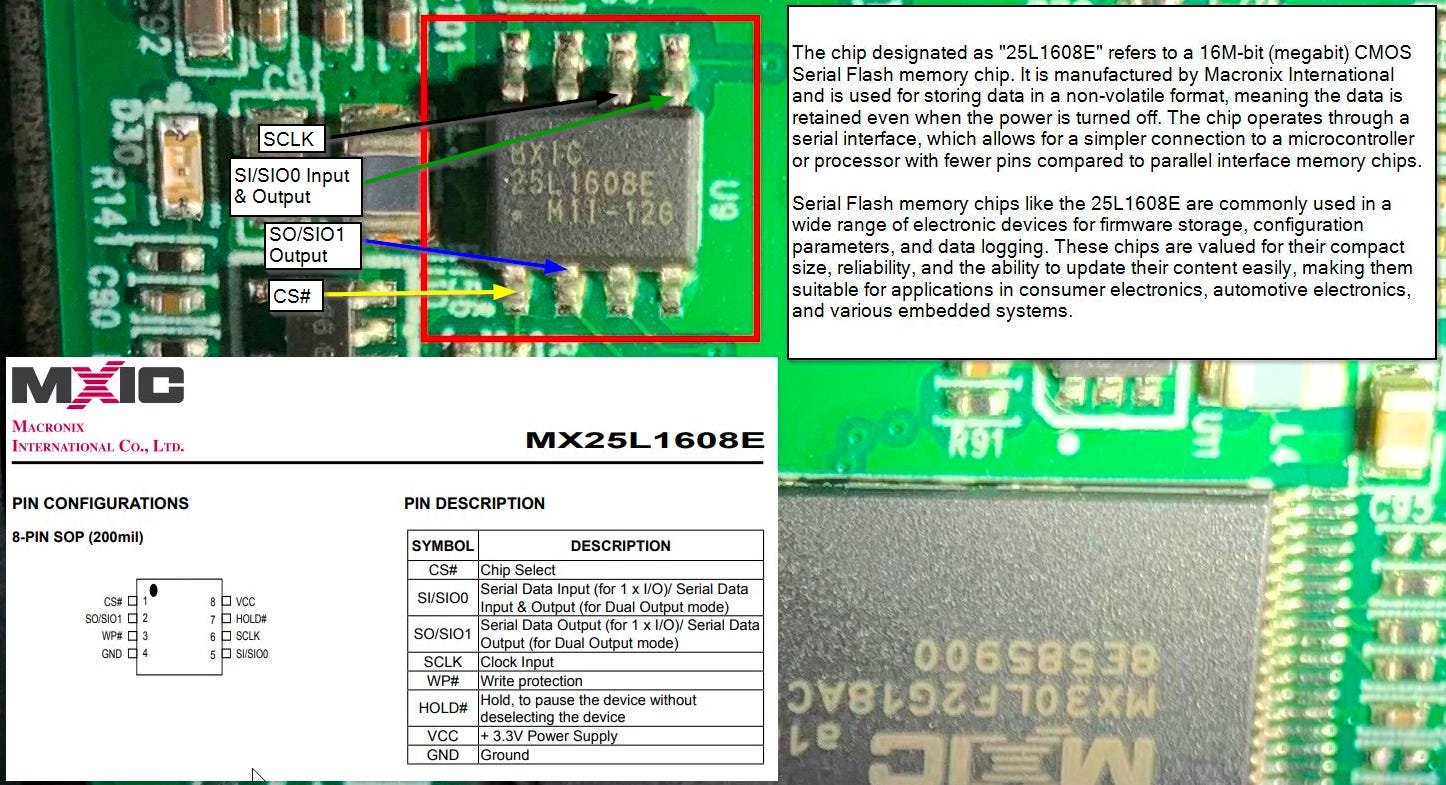
The initial phase of the task required an examination of the circuit board to locate the firmware and identify the specific chip in use. Through online research, I was able to determine the chip hosting the firmware as an MX25L1608E. The image below showcases the chip's connections on the circuit board:
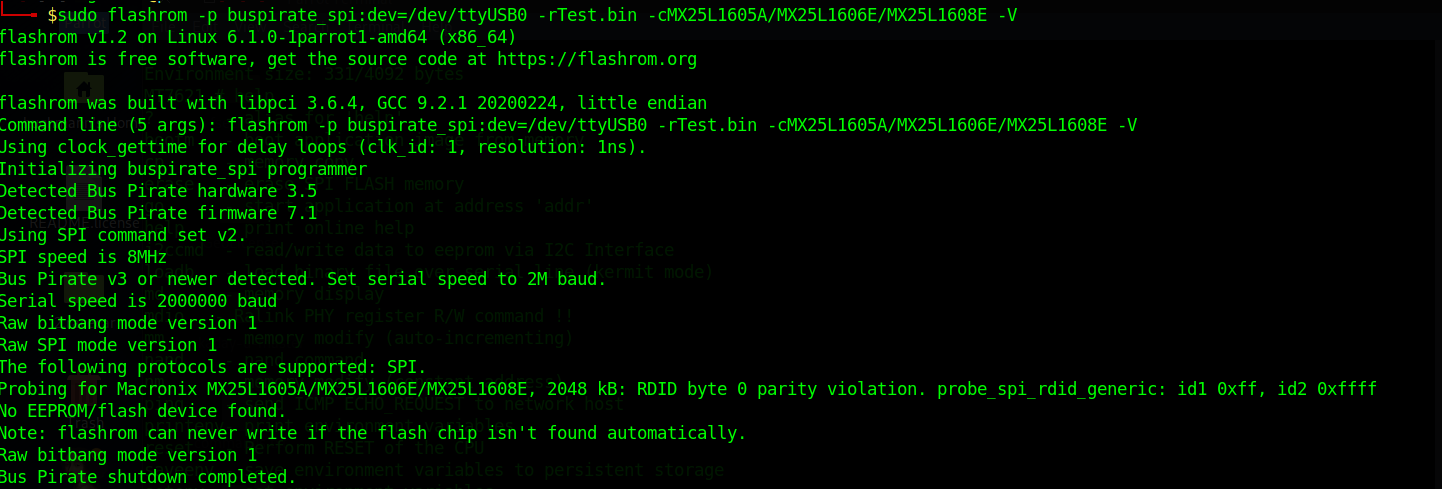
Despite numerous attempts, I encountered persistent difficulties in establishing a connection between the flashrom program and the chip to extract the firmware. The program's autodetection feature failed to recognize the chip, as shown below:

Even when manually specifying the chip model, I faced error messages that hindered the dumping process.
After checking all my connections and being unable to figure out what was occurring, I delved into further research and found the article How to connect ER-X serial console from the Ubiquiti Community. By utilizing the pins on the circuit board to connect to the router's serial console via UART. Fortunately a Bus Pirate is also suitable for such tasks. This discovery meant I simply needed to configure and set up the existing hardware appropriately, allowing me to monitor the router's boot process.
The initial step involved establishing the connections as follows: GND to GND, TX to MOSI, and RX to MOSO.
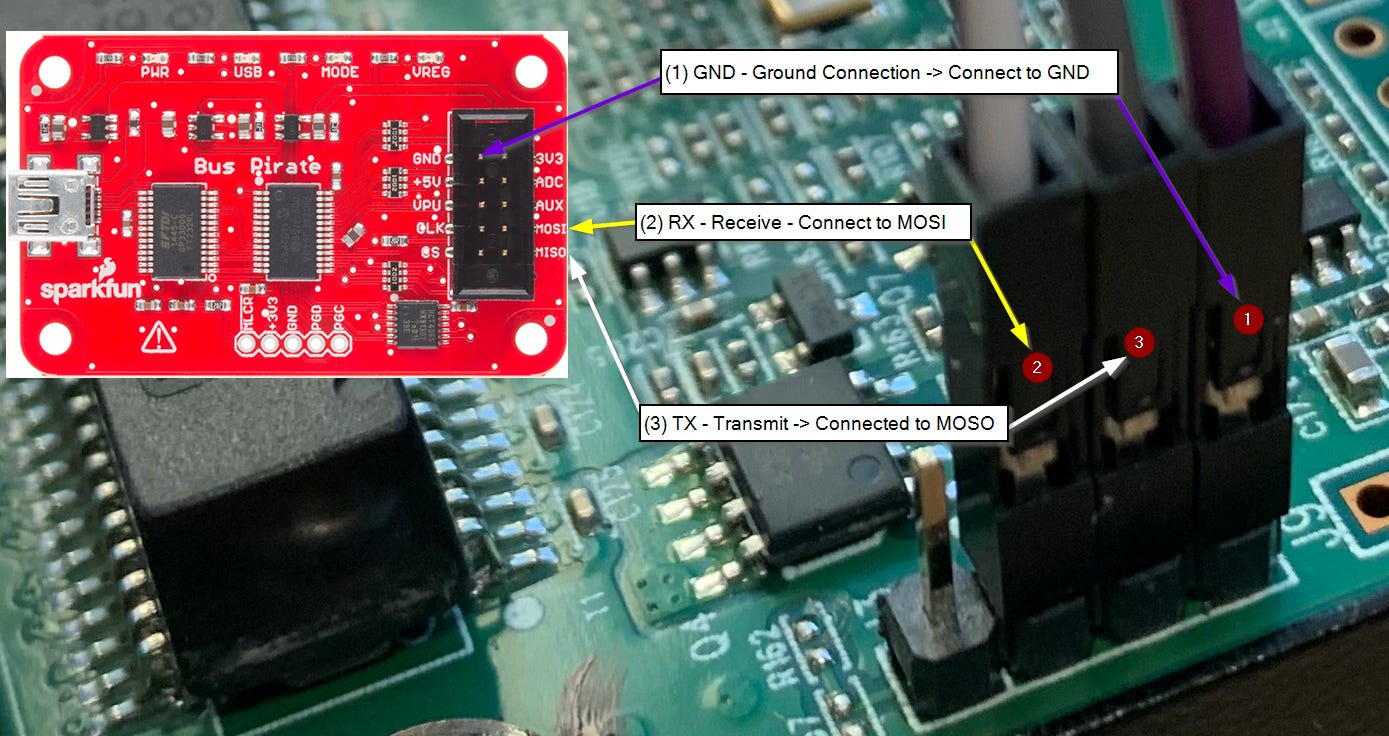
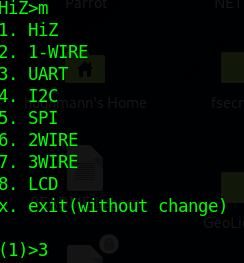
Once the physical connections were secured, the next phase was to interface with the Bus Pirate and activate UART mode by pressing 'm' followed by '3'.
I set the communication settings as follows:
- Choose '8' to set the serial port speed to 57600.
- Select '1' for data bits and parity to 8, NONE (the standard setting).
- Opt for '1' to set Stop bits to 1 (standard).
- Pick '1' for Receiver polarity to Idle 1 (standard).
- Choose '1' for Output type to Open drain (standard).
For the sake of clarity, I've listed each option by number. However, for settings marked as default, it's sufficient to simply press enter without entering a value.
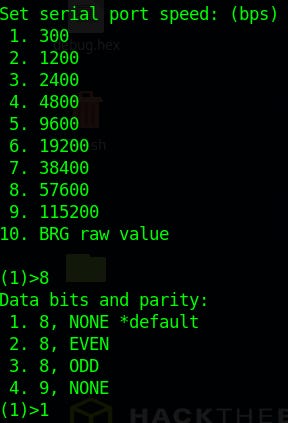
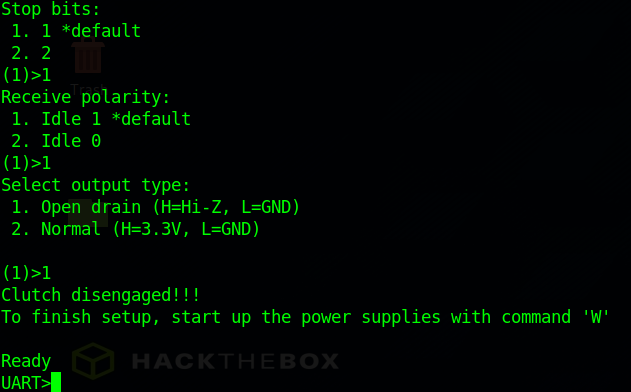
Following these configurations, a UART prompt should appear.
Press 'W' to power the PSU on and type '(1)' to engage the live transport bridge mode. When prompted for confirmation, respond with 'y' followed by enter. To exit this mode with the Bus Pirate, would have to disconnect and reconnect the USB from the computer.
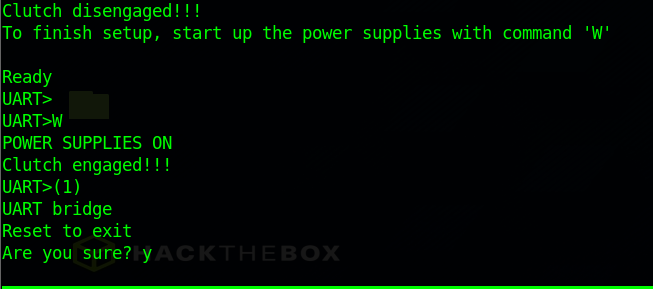
With the Bus Pirate in UART mode and the communication settings set correctly, I proceeded to connect the router and monitor the console output, which revealed the root of the problem.
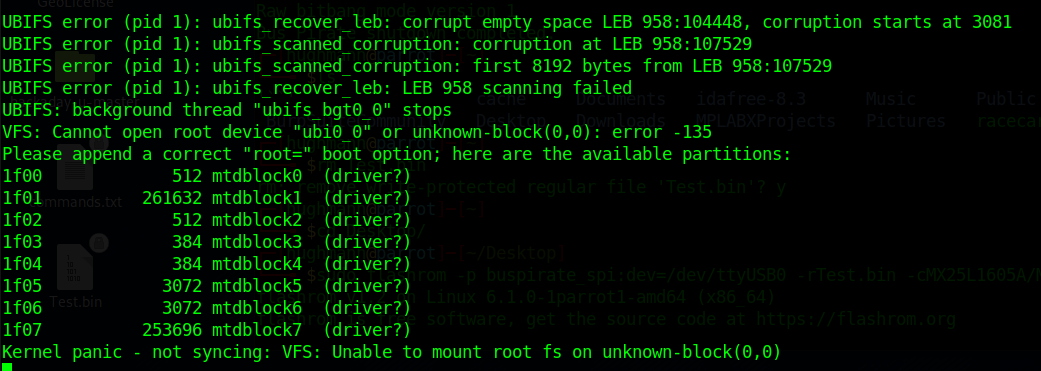
The router was experiencing difficulties in mounting the root file system, triggering a Kernel panic. This term refers to a boot issue where the kernel fails to load properly, thus preventing the system from starting up. (Thanks Google for the definition)
Identifying the issue is the first step; the next challenge lies in determining whether it can be resolved. Next is the 3rd and last post where I reload the firmware.
I used your notes to put a Bus Pirate on my ERX so that I have an emergency backdoor if I should make unworkable network changes while developing my VLAN set up. Thanks.